Create your project
To implement a data science workflow, you must create a project as described in the following procedure. Projects help your team to organize and work together on resources within separated namespaces. From a project, you can create many workbenches, each with its own IDE environment (for example, JupyterLab), and each with its own connections and cluster storage. In addition, the workbenches can share models and data with pipelines and model servers.
-
You have logged in to Red Hat OpenShift AI.
-
From the left navigation menu, select Projects. This page lists any existing projects that you have access to. You can select an existing project (if any) or create a new one.
-
Click Create project.
You can start a Jupyter notebook by clicking the Start basic workbench button. However, in that case, it is a one-off Jupyter notebook run in isolation. -
In the Create project modal, enter a display name and description.
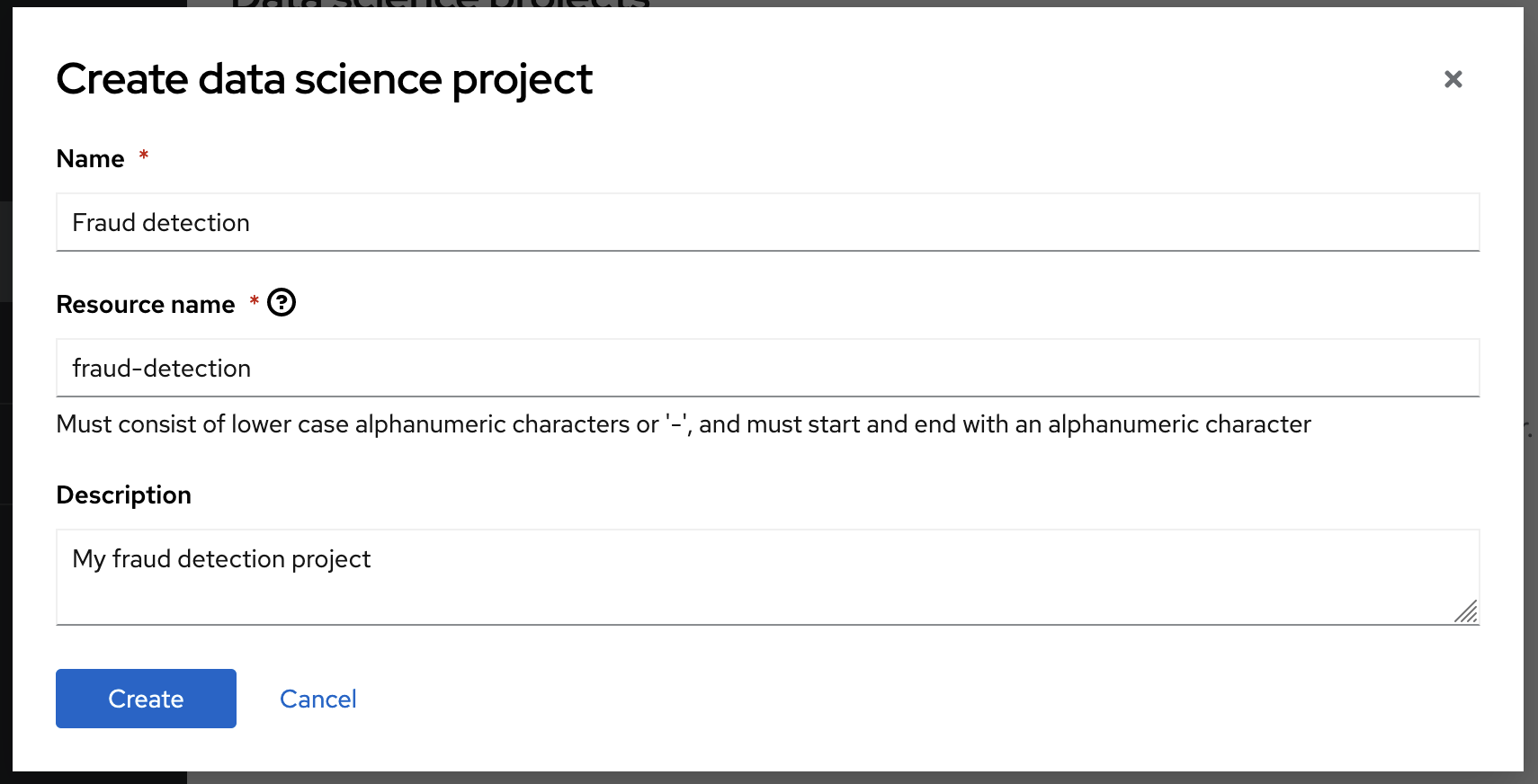
If you are sharing an environment where several users who are following this tutorial at the same time, enter a unique display name for your project, for example: “Fraud detection <username>” and replace <username> with your name. -
Click Create.
Your project opens in the dashboard.
You can click the tabs to view more information about the project components and project access permissions:

-
Workbenches are instances of your development and experimentation environment. They typically contain individual development environments (IDEs), such as JupyterLab, RStudio, and Code Server.
-
Pipelines are a structured series of processes that collect, process, analyze, and visualize data. With AI pipelines, you can automate the execution of notebooks and Python code. By using pipelines, you can run long training jobs or retrain your models on a schedule without having to manually run them in a notebook.
-
Deployments for quickly serving a trained model. A model server is a container image for a machine learning model. It exposes APIs to receive data, run the data through a trained model, and delivers a result (for example, a fraud alert).
-
Cluster storage is a persistent volume that retains the files and data you’re working on within a workbench. A workbench has access to one or more cluster storage instances.
-
Connections contain object data which you can use for purposes such as configuration parameters and storing models, data, or artifacts.
-
Permissions define which users and groups can access the project.