MaaS:PAL — Verification for your MaaS
MaaS:PAL (MaaS: Policies, Access, Limits) is a Red Hat AI Community Plugin for the OpenShift AI dashboard that tests a Models as a Service setup on a live cluster. It answers questions like “is my subscription’s rate limit actually enforced?” or “does my subscription reach every model it covers?”. It acts through MaaS’s own user-facing APIs, the way a real user would.
Getting started
Follow the MaaS:PAL README for installation, dashboard registration, and access configuration.
Using MaaS:PAL
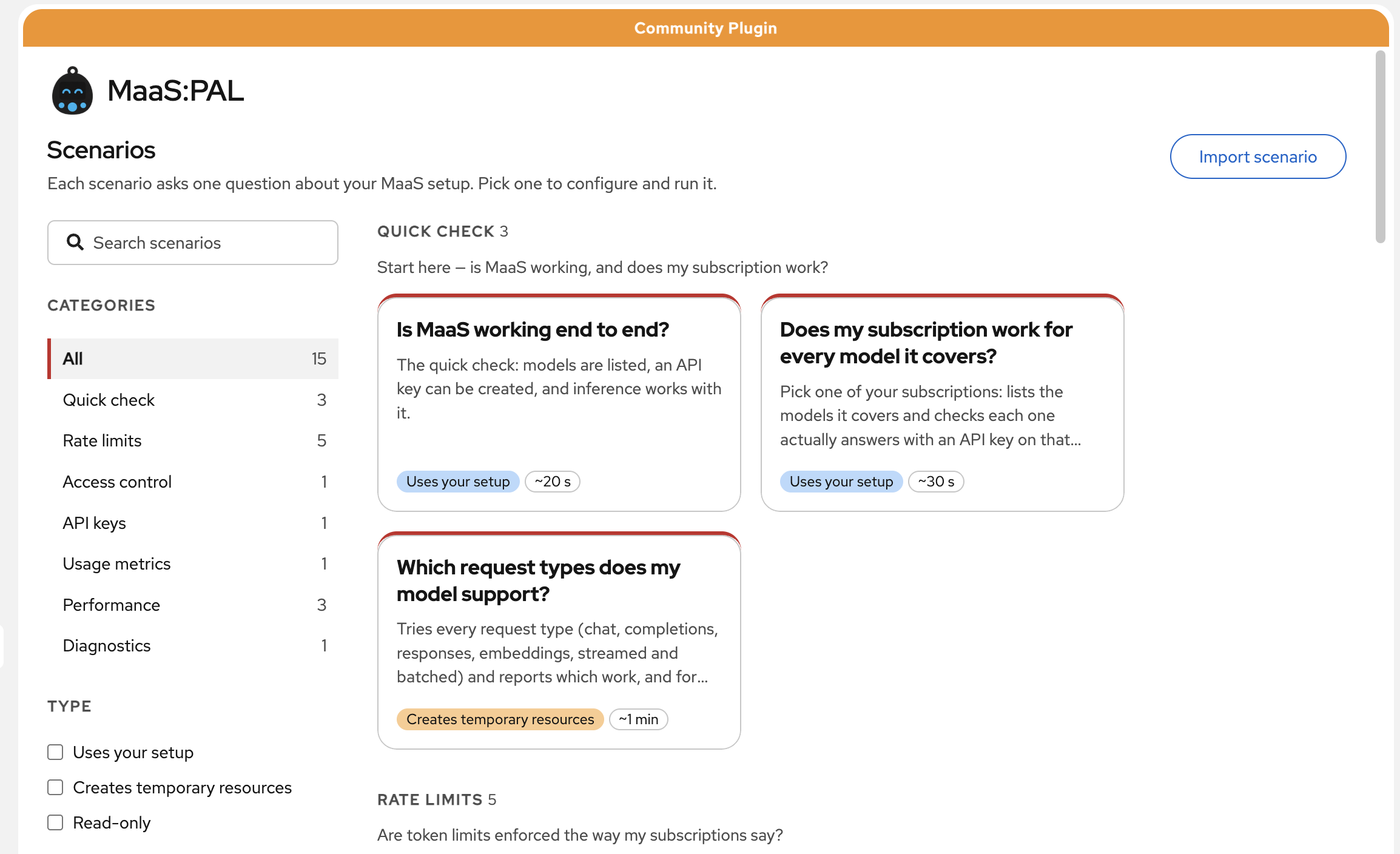
In the dashboard, open Community plugins → MaaS:PAL. Pick a scenario from the Scenarios catalog — search, or filter by category — adjust its settings and launch it.
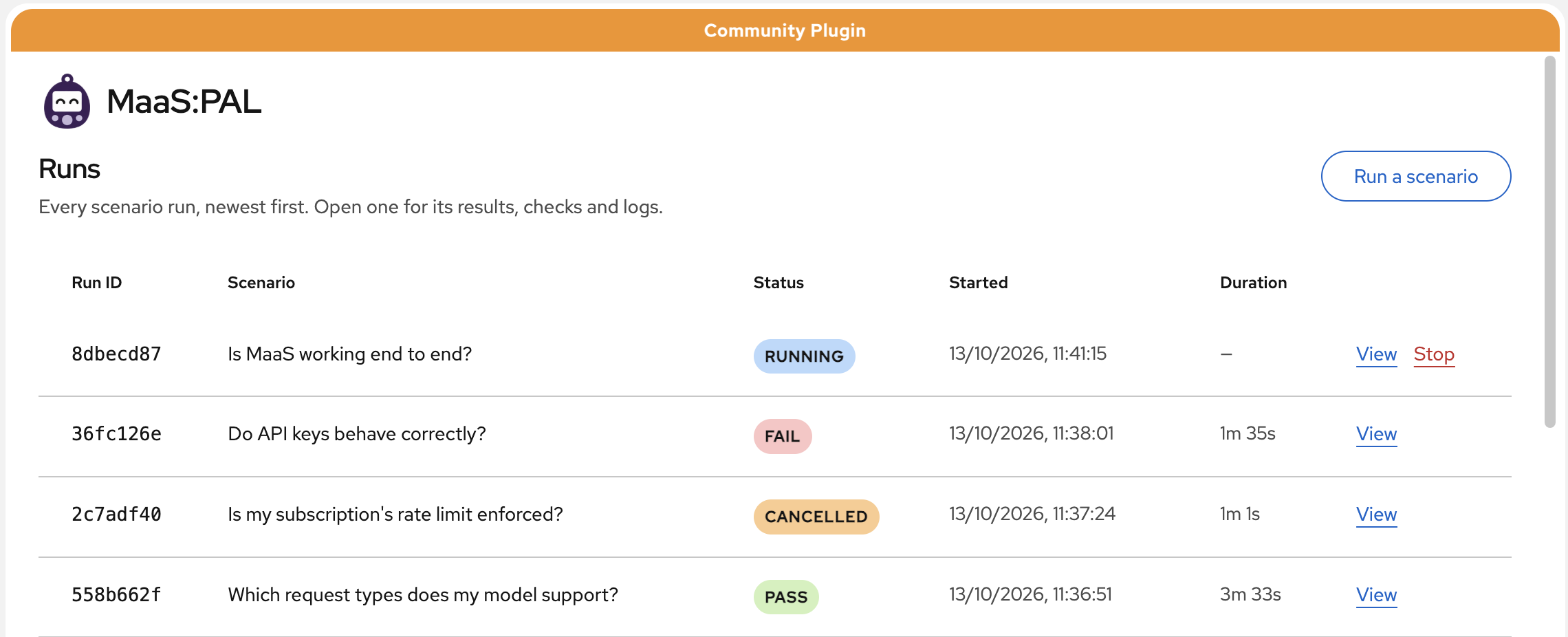
Runs lists every scenario run, with its status and duration. Open a run to see what happened.
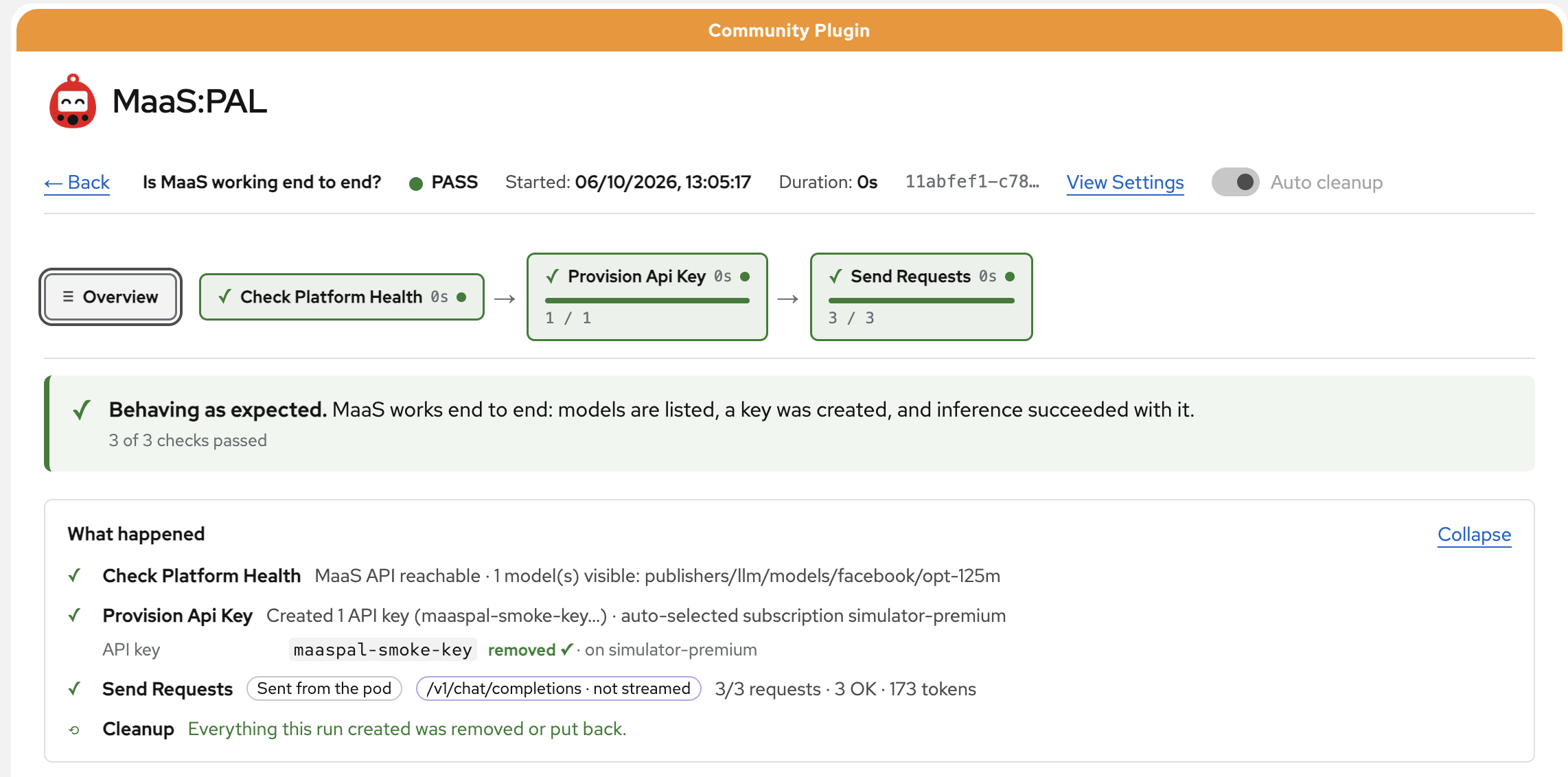
The run page shows what happened step by step: live progress, the checks, a plain-language verdict, and what the run created and cleaned up.
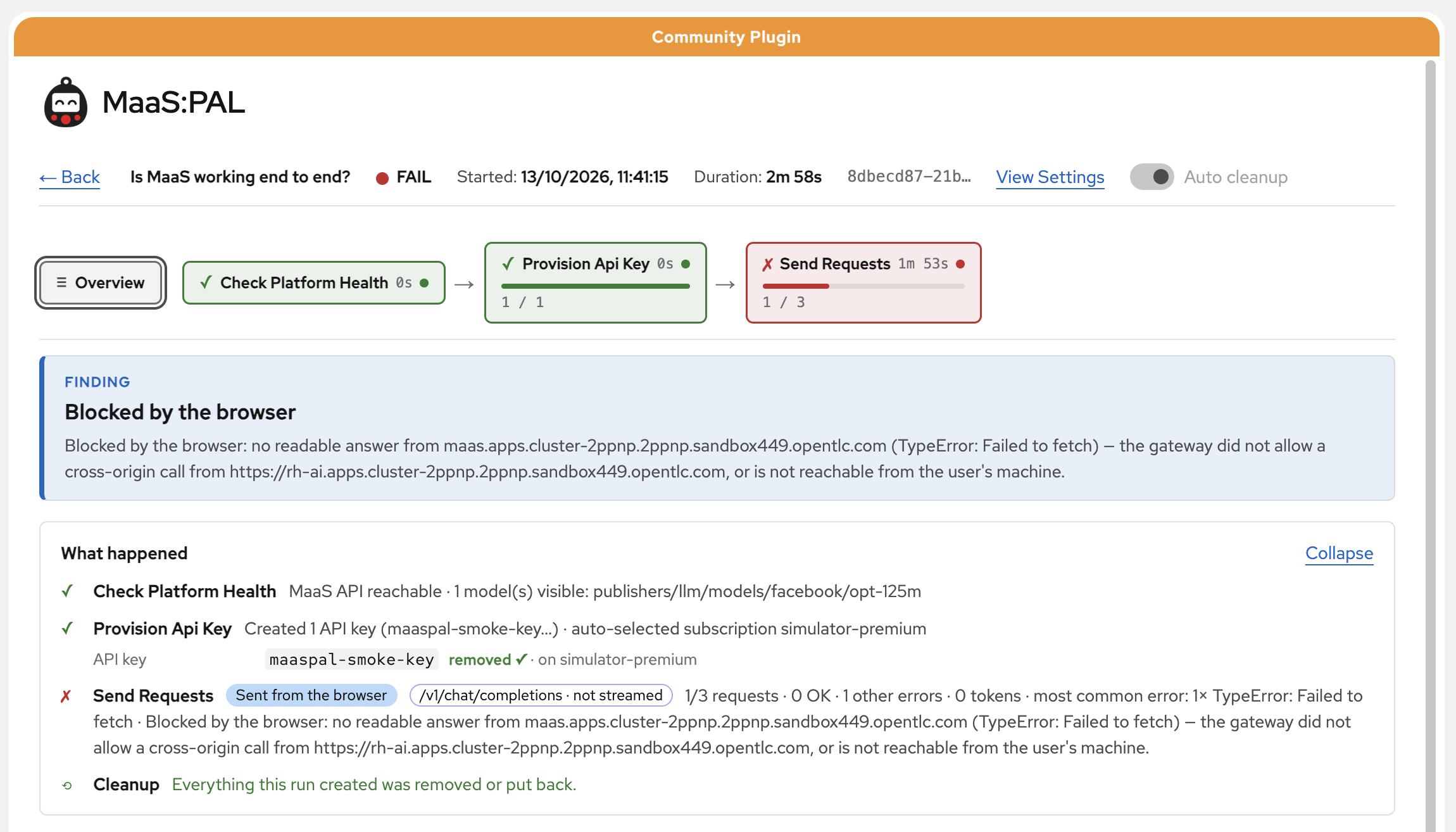
When a run fails, the verdict names the finding directly — for example, a CORS block when sending requests from the browser.
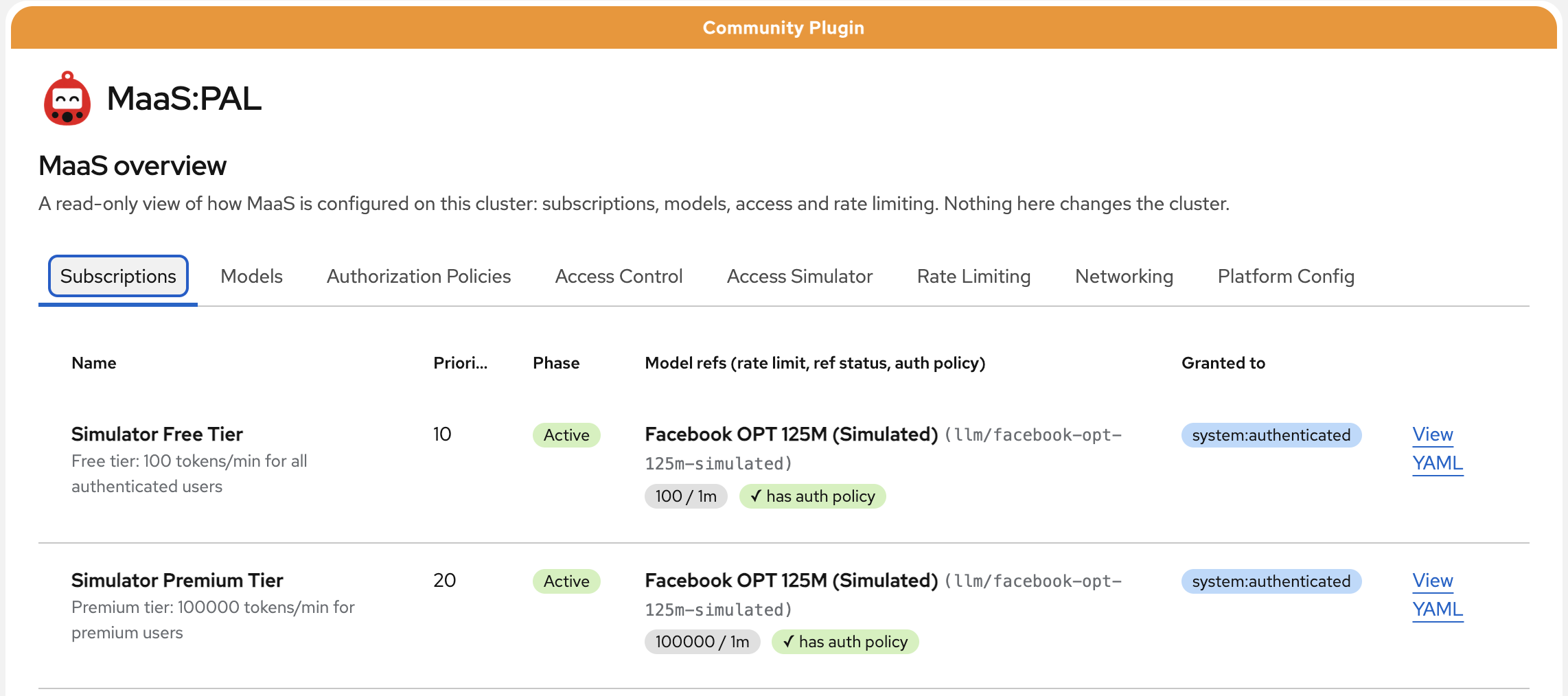
MaaS overview shows the cluster’s MaaS configuration — subscriptions, models, auth policies, rate limiting, and networking — as a read-only view. Nothing here changes the cluster.
Scenarios
| Category | Scenario | Question it answers |
|---|---|---|
| Quick check | smoke_test | Is MaaS working end to end? |
| Quick check | verify_subscription | Does my subscription work for every model it covers? |
| Quick check | request_types | Which request types does my model support? |
| Rate limits | verify_subscription_rate_limit | Is my subscription’s rate limit enforced? |
| Rate limits | keys_share_user_budget | Do all my keys share one budget? |
| Rate limits | rate_limit_window_recovery | Does access come back after the rate-limit window? |
| Rate limits | subscription_auto_selection | Which subscription do my keys get? |
| Rate limits | rate_limit_per_user_or_shared | Are limits per user or shared? |
| Access control | denied_without_auth_policy | Is access denied without an auth policy? |
| API keys | api_key_lifecycle | Do API keys behave correctly? |
| Usage metrics | usage_metrics_accuracy | Do MaaS usage metrics match real traffic? |
| Performance | load_test | How does MaaS hold up under load? |
| Performance | gateway_overhead | How much latency does the MaaS gateway add? |
| Performance | multi_model_load | Does MaaS hold up with many models and subscriptions? |
| Diagnostics | model_config_health | Are my models wired up correctly? |
You can also import your own scenarios from the Scenarios page. See the MaaS:PAL README for the scenario YAML format.